


Visualize Your Bug Hotspots
The first step is making these patterns visible by bringing the data together. Teamscale allows you to import historic bug data from your issue tracker (like Jira or Azure DevOps) and map those defects directly to the code where the bug was fixed.
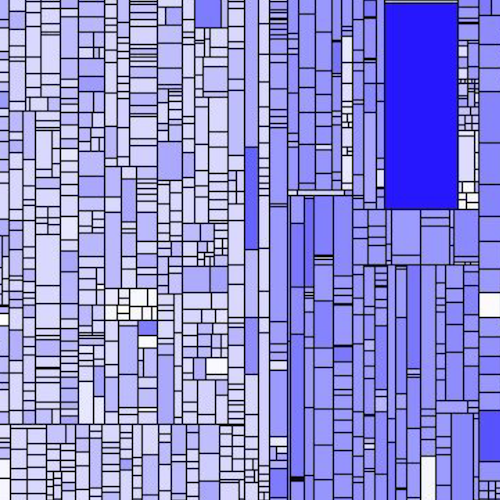
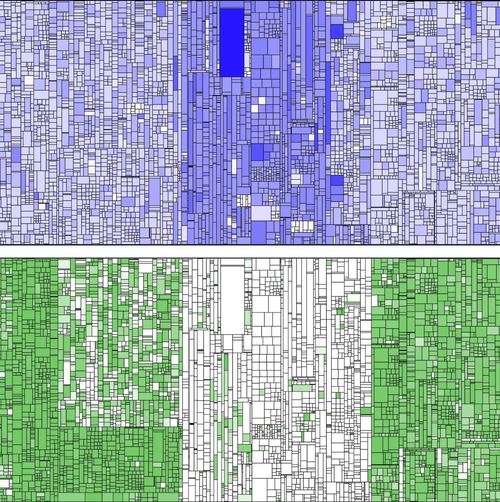
Once that data is connected, you can visualize the results using a treemap. Just like we use treemaps to spot Test Gaps, a "Bug Hotspot" treemap shows you exactly which methods are historically the most defect-prone.
Finding the »Why«
Seeing where the bugs are is great, but the real value lies in understanding the root cause. Why does this specific module keep failing?
In our work with customers, we've found that bug hotspots are almost always correlated with other quality problems. When you overlay bug data with other metrics in Teamscale, the patterns become clear:
- Complexity: High cyclomatic complexity, long methods, deep nesting all make code hard to reason about and easy to break.
- Redundancy: Cloned code means a bug fix in one place often misses its "twins" elsewhere.
- Lack of Coverage: Areas with low test coverage allow regressions to slip through unnoticed.
Fix the Cause, Not Just the Symptom
Once you’ve identified a hotspot, you have two clear paths to reduce risk:
- Address the Root Cause: Use the data to justify a refactoring sprint. Address those structural issues in your code, refactor it to be less redundant, fix its testability, etc.
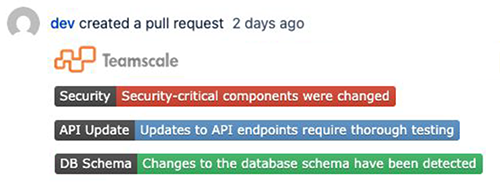
- Alert the Team: If you can't fix the code immediately, you can at least alert users when they are editing bug-prone code so they can be extra careful and maybe do an additional review of the changes. Teamscale can show "badges" or warnings in the IDE or pull request, letting a developer know: "Caution: You are entering a high-defect zone. Proceed with extra testing and review."
Would you like to exchange experiences on Defect Analysis?
Any complex analysis raises questions. Is it applicable to you at all? What experiences have other companies in your industry had with Defect Analysis? Are the technologies you use supported? To name just a few.
I’m happy to chat with you about Defect Analysis!

Companies that use Teamscale
Teamscale supports and integrates many other tools and formats.


.svg.png?height=200&name=BMW_logo_(white_+_grey_background_circle).svg.png)

.jpg?width=407&height=250&name=20260213_114044(1).jpg)




.jpg?width=407&height=250&name=PXL_20260212_105207344(1).jpg)
.jpg?width=407&height=250&name=20260506_124024(1).jpg)















.svg.png?width=65&height=65&name=BMW_logo_(gray).svg.png)